Instructions for the Pitch - Setback
game app
The following is an
instruction guide for the Pitch - Setback mobile app.
For any questions
email: support@singaporemahjong.com
The
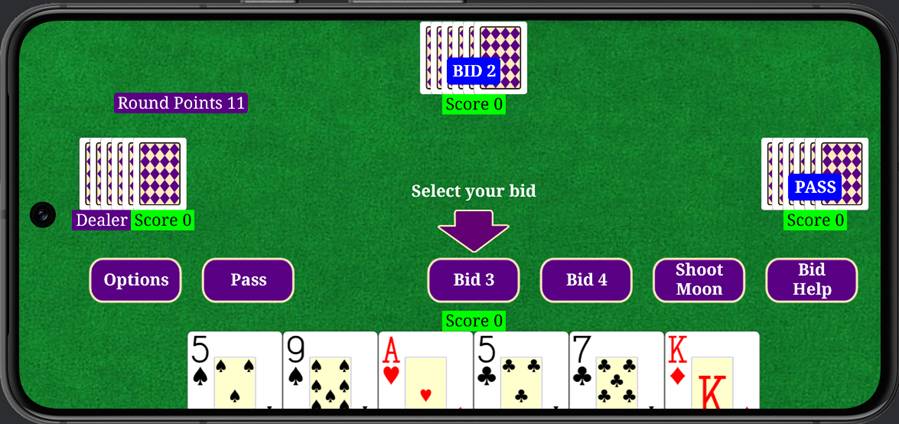
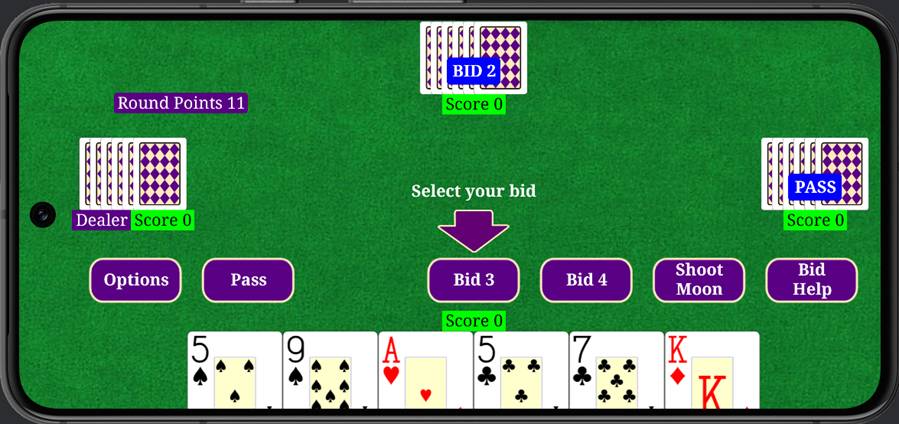
picture below shows the start of a pitch game. The Dealer is the Left Player as
indicated by the “Dealer” label directly under the cards. The Top player bids
first. In this case, the Top Player bids 2 as indicated by the “Bid 2” on the
players cards. Next the Right Player bids, which in this case is a “PASS”. Now
it is your turn to bid. You are given the options to Pass, Bid 3, Bid 4, or
Shoot the Moon. You will need to select your bid to continue the game.
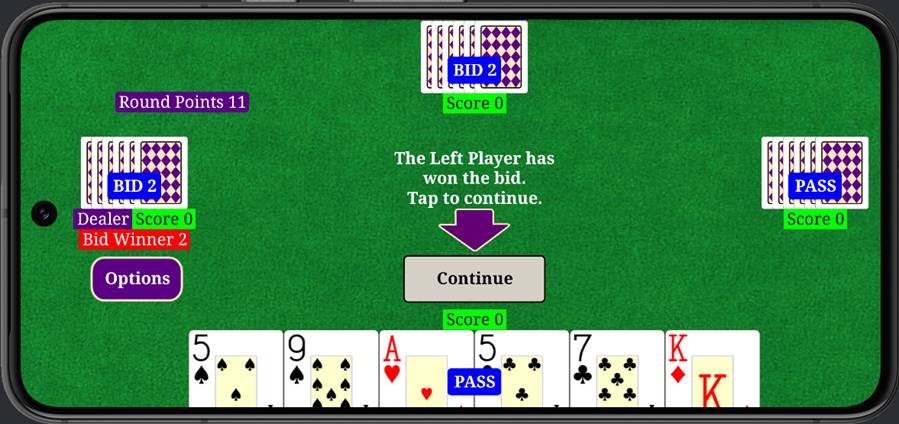
The picture below shows where the Bottom Player (you) selects “Pass”
as the bid. After
this, the Left Player bids 2 to become the winning bidder. To continue, you
need to tap the “Continue” button.
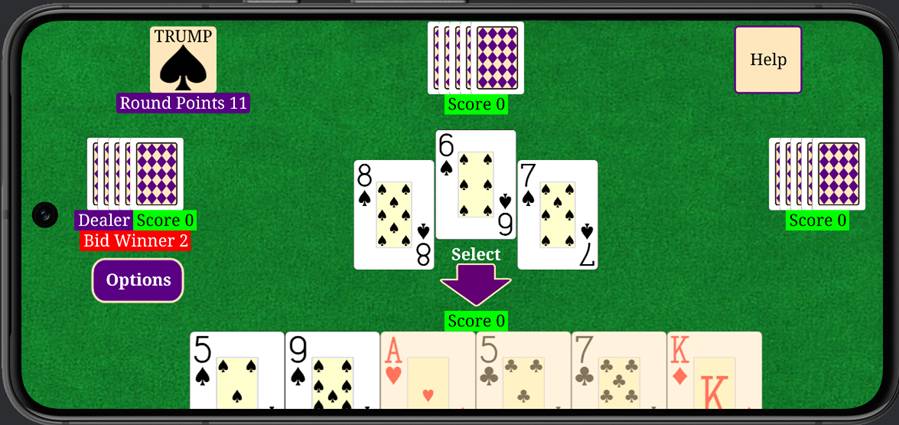
The picture below show the result for tapping the “Continue” button
where the first trick is started. The Left Player (Bid Winner) plays the first card which is an 8
of spades. The Top Player then plays the 6 of spades followed by the Right
Players playing the 7 of spades. Now it is your turn (Bottom Player) to play a
card. In this case, there are only two valid cards that can be played. Notice
that the four invalid cards are shaded out. Note, that the trump that is
selected is now shown in the upper left corner. Also, there is a help button
that can be tapped that provides the current status of the game that is being
played.
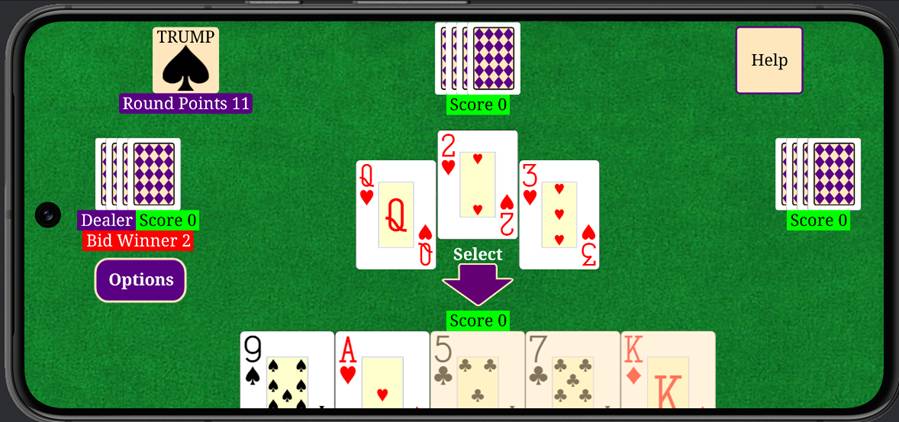
The
picture below shows the screen after the 5 of spades was played by the Bottom
Player. The Left Player won the first trick. The Left Player played the Queen
of hearts to start the second trick, followed by the 2 of hearts by the Top
Player, and the 3 of hearts played by the Right Player. The bottom player will
now play a card to complete the second trick. This continues until all the
tricks have been played. At that time the game is scored.
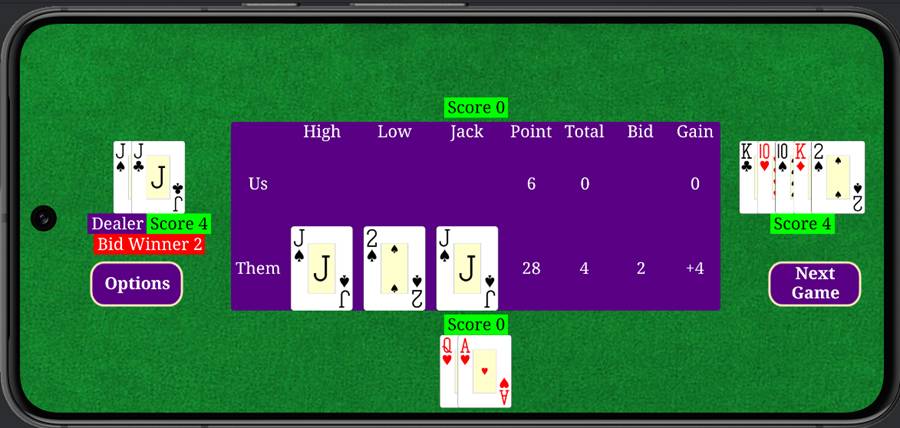
The
picture below shows the end of the game and how it was scored. In this case,
the team with the Right and Left Players won the High Trump which was the Jack
of spades, the Low Trump which was the 2 of spades, and won the points in the
game 28 points compared to 6 points. The winning team is awarded 4 points. To
move to the next game, select the “Next Game” button.
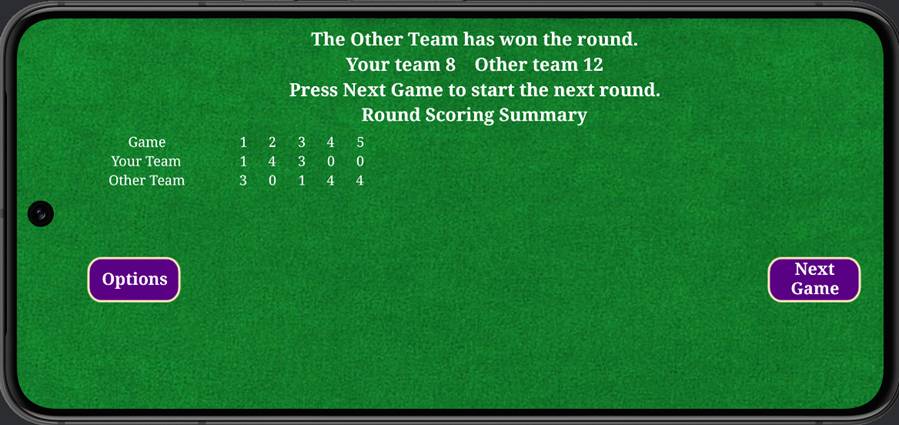
A
Round is won when a team gets 11 points. When the Round is over, there will be
a summary screen as shown below. This summary shows the points earned by each
team in each game. To start the next Round tap the “Next
Game” button.
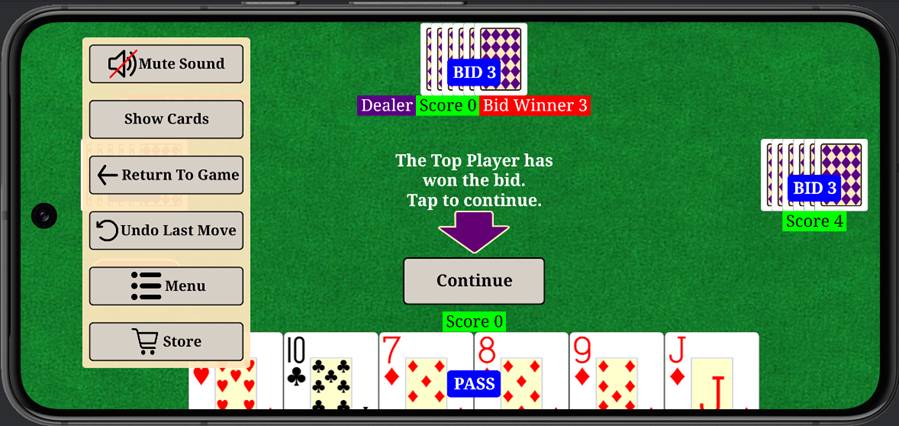
There
are different options that can be selected by tapping the “Options” button. The
picture below shows the different options. A player can perform an “Undo Last
Move” which will undo the last move. Note, that only one
move can be un-done. Once the game is completed, no moves can be un-done. “Show
Cards” allows you to see the other players cards. The “Store”
selection brings you to the store to purchase items. The “Menu” selection
brings you to the menu.
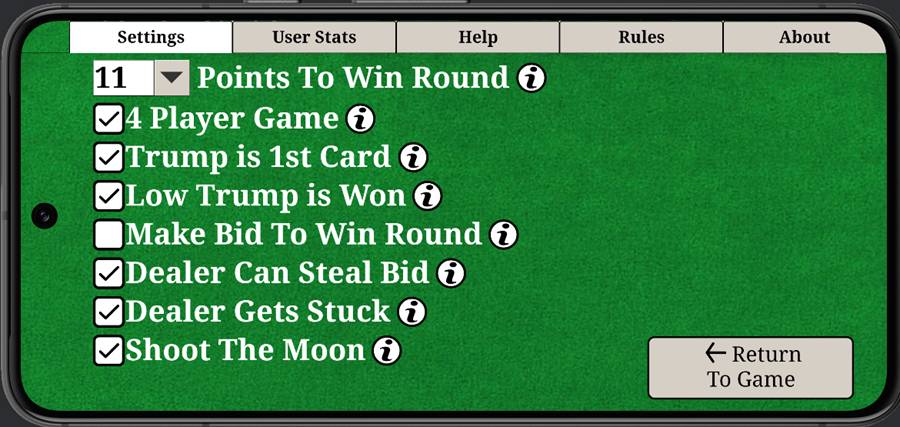
The
menu selection brings the user to the screen shown below. There are five
different selection under the menu area.
In
the picture below, there is a “Bid Help” button. Normally this button is
disabled. But it can be enabled by purchasing the Bid Help product in the Store
section.
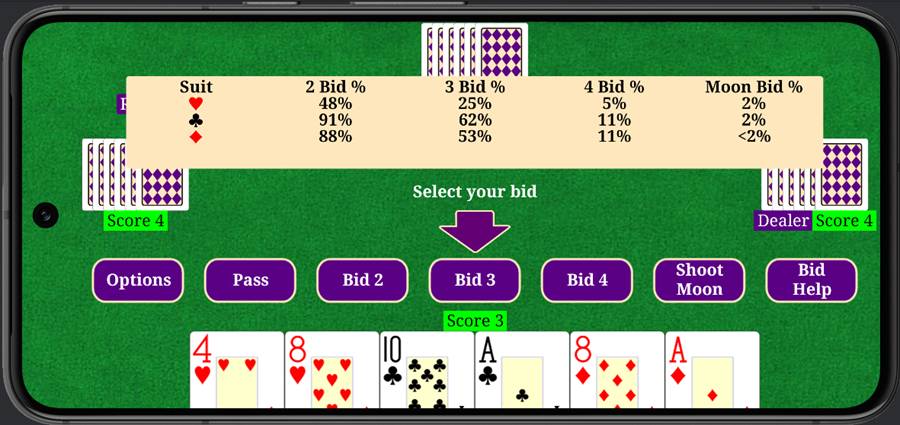
When
the Bid Help product is purchased the user will be able to get accurate
information on all the bid options for the current cards. An example of Bid
Help is shown below. Here the chances of winning the different bids are
disabled. This will help the player understand how to bid better.
Copyright
© 1997-2026 - www.singaporemahjong.com
- All rights reserved.